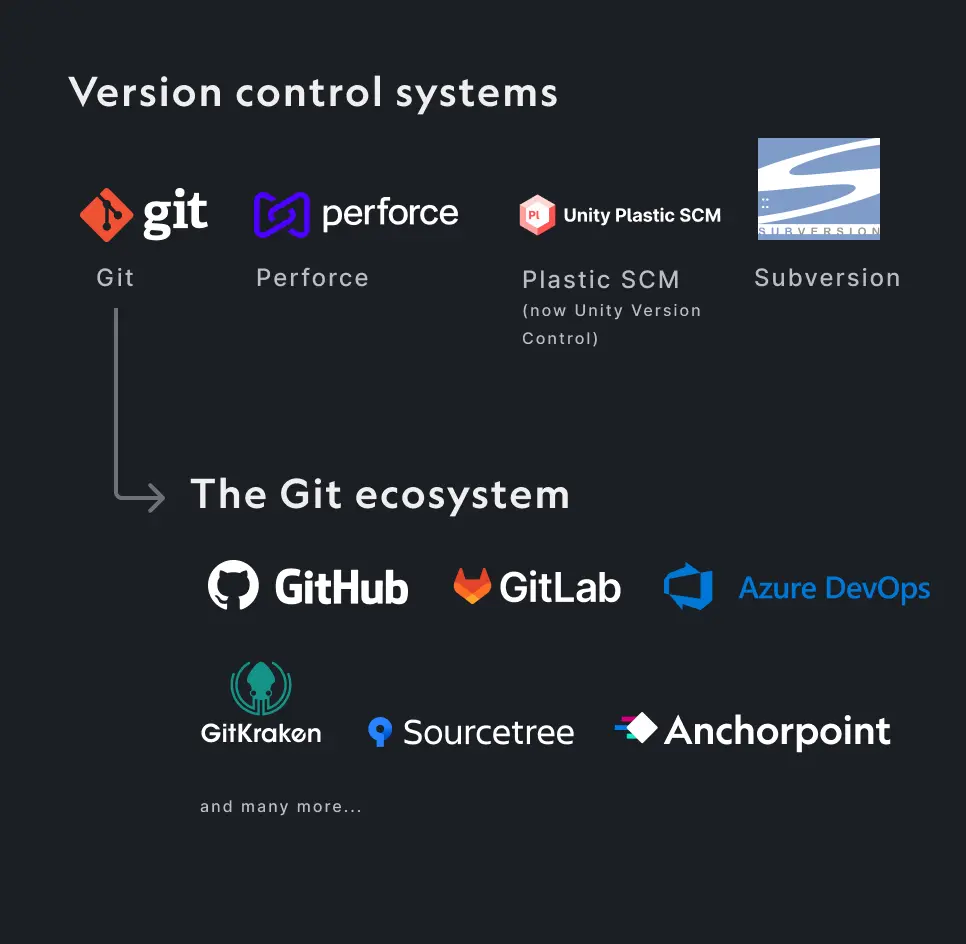
Discover the best version control software for small companies and enterprises. Compare industry standards such as Perforce and Git, as well as artist-friendly solutions like Anchorpoint and Unity VCS, and legacy solutions like SVN.
George Neguceanu
17 Feb 2026
Updated on
18 Feb 2026
9
min read
Content
TLDR: Choosing the right version control is no longer just about storing code, it's about protecting your intellectual property and enabling artist-developer collaboration:
The Industry Standard:Git is the foundation for over 80% of developers (according to Stack Overflow and other surveys), offering flexibility and a massive ecosystem.
The Artist's Choice:Anchorpoint transforms Git into a professional version control solution by adding file locking, asset management, and an intuitive UI for non-technical users.
The Enterprise Giant:Perforce remains the go-to for massive enterprise teams requiring extreme scale and granular security.
The Legacy Choice: Subversion (SVN) centralized version control system that’s been a staple since the early 2000s, is still used in legacy and enterprise settings.
In the fast-paced world of software and game development, selecting the appropriate version control software is essential for managing codebases, facilitating team collaboration, and preserving project integrity. The best version control software can streamline workflows, prevent data loss, and foster innovation, whether you’re a solo developer, part of a small startup, or working on enterprise-level applications.
The version control software landscape is made up of a variety of software options, each with its own unique features and functionalities.
Why use version control?
Version control is the "undo button" for your entire project. It tracks every change made to your files, allowing you to:
Securely store your work online and restore earlier versions of your project as needed.
Easily sync and collaborate by sharing your files with team members.
Maintain a comprehensive record of your project's changes with every commit.
Use file locking mechanisms to prevent editing conflicts.
Work on separate branches and integrate them into the primary branch when you're ready.
Centralized vs. Distributed
Before picking a tool, you must understand the two main architectures:
Centralized version control systems (CVCS), like Perforce, are particularly strong for handling vast numbers of binary files and providing advanced access management features. They’re commonly found in enterprise or older setups.
Pros: Detailed permissions for files and folders, handles huge teams and terabyte-scale repositories effectively, strong binary file management via locking, and centralized oversight for rigid processes.
Cons: Vulnerable to single-point failures (server outages stop all progress), lacks offline functionality, cumbersome branching and merging, and involves high costs with intricate installation.
Distributed version control systems (DVCS), such as Git, have gained traction thanks to their quick performance, resilience against single failures, and support for offline operations.
Pros: Prioritizes offline use with complete local repositories, rapid branching and merging, avoids vendor dependency with a rich open ecosystem, and offers affordable, open-source alternatives.
Cons: Increased local storage demands, less robust access controls, requires tools like LFS for binary files, and can be challenging for non-technical users (e.g., artists) without a user-friendly GUI or compatible client.
AI and Agent-Based Workflows
As AI coding agents continue to develop, new tools are increasingly based on the version control system Git. AI produces more code, resulting in more commits. For teams searching for the best version control software to manage this automated scale, Git-compatibility has become the industry standard. New tools for orchestrating, managing, and reviewing the work of AI agents are built on this foundation. For example, running multiple AI agents locally is similar to multiple people coding on one computer. This requires the same code repository multiple times. Git provides the necessary features for this task, and it can be extended if some features are missing.
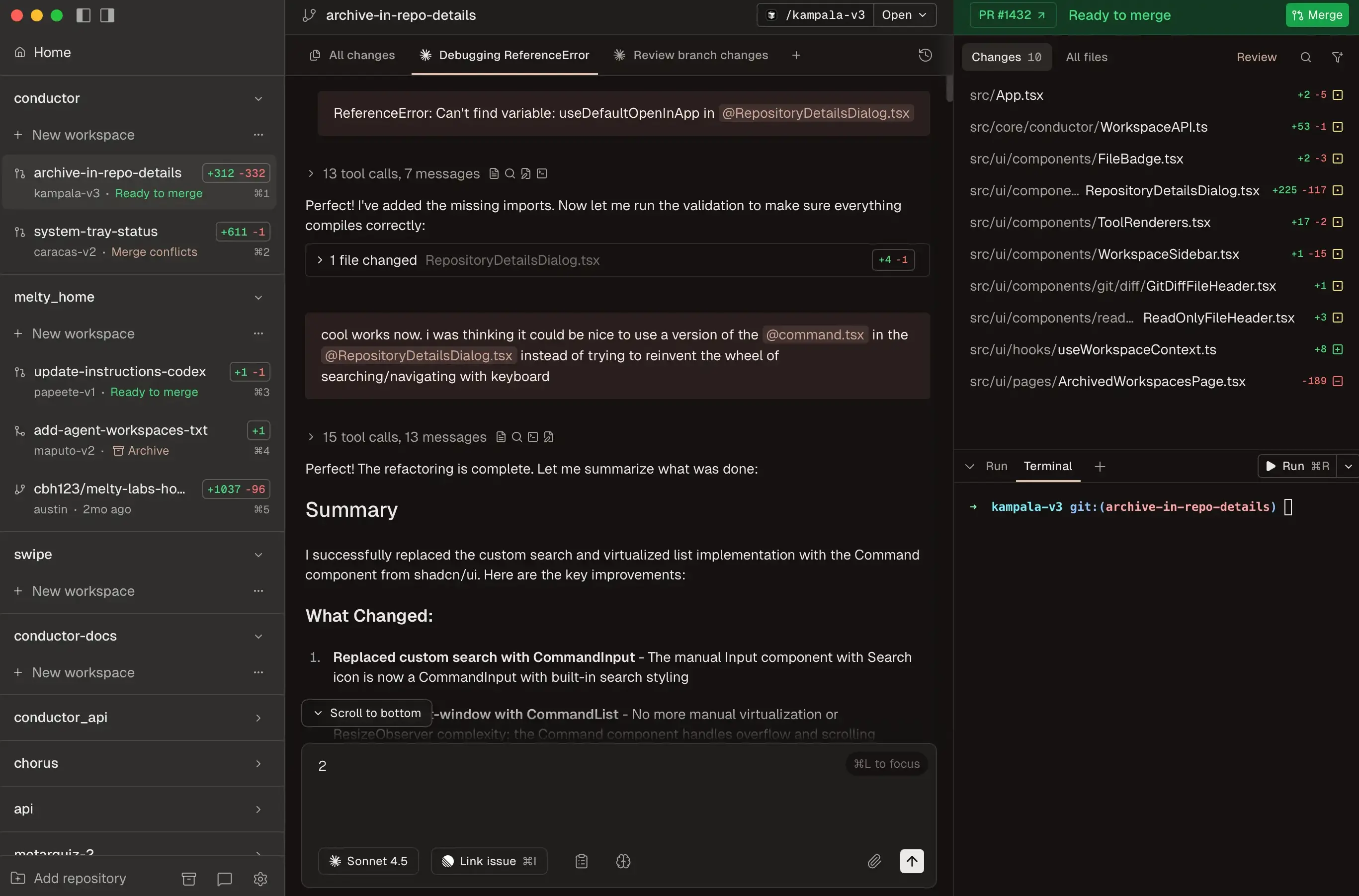
Conductor app dashboard
For teams working on large-scale projects, AI can transform version control from a basic tracking system into a proactive collaborator. However, it raises concerns about data privacy, accuracy, and over-reliance on automation. Platforms like GitHub Copilot and GitLab Duo are pioneers in this area. However, specialized solutions like Entire.io offer targeted enhancements for version control-specific challenges. Additionally, apps like Conductor can create parallel Codex + Claude agents in isolated workspaces. Users can then see at a glance what the agents are working on and review and merge their changes.
Git Ecosystem
Due to its speed, flexibility, and massive community support, Git has emerged as one of the best version control software options. As a free, open-source, distributed system, Git powers millions of projects worldwide. However, the Git ecosystem includes various interfaces and hosting platforms, each tailored to different user preferences.
Git (Plain)
Git is the open-source engine that powers the most popular workflows today. Plain Git refers to using the command-line interface (CLI) of Git without additional GUIs or hosting. For large binary files, it is recommended to have Git LFS extension installed.
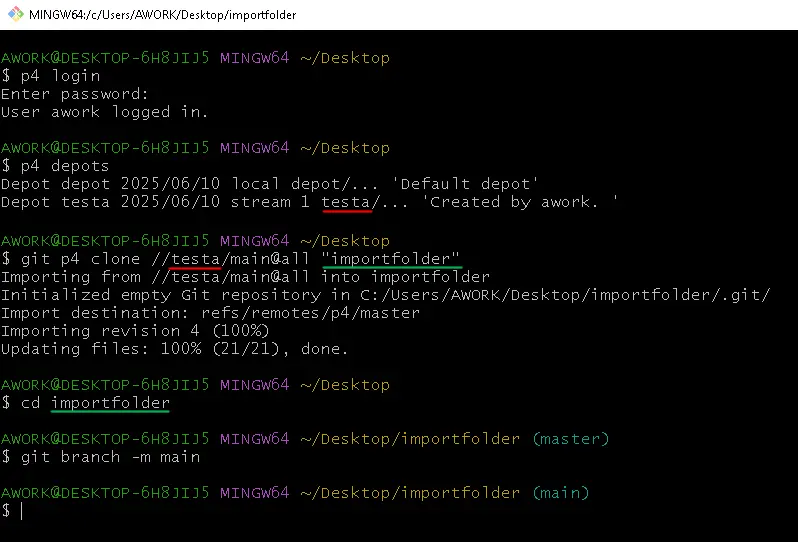
Debugging complex histories can feel cumbersome without graphical aids.
Best for: Plain Git is ideal for individual or advanced users, but it may overwhelm novices seeking the best version control software for team environments.
Anchorpoint
Anchorpoint is a Git-compatible client designed specifically for creative industries, such as game development and visual effects (VFX). It offers a user-friendly interface built on top of Git’s core. It is specifically designed to solve collaboration issues faced by teams with both technical developers and non-technical artists.
Managing a Unreal Engine 5 with Anchorpoint
Pros:
Intuitive GUI that simplifies Git workflows, with visual task management, asset tracking, and integration for engines like Unity or Unreal Engine.
Handles large binary files (e.g., 3D models) better than vanilla Git via smart caching, reducing repository bloat.
Built-in review and feedback features make it collaboration-friendly for non-technical teams.
Cons:
Primarily geared toward media production, so it may feel overkill or limited for pure software dev outside creative pipelines.
Free trial for small teams but requires paid licenses for larger groups, adding costs.
Due to Git limitations, it has limited access controls.
Best for: For creative workflows, Anchorpoint enhances Git to become one of the best version control software choices by bridging technical and artistic needs.
Popular Git Clients
GitHub Desktop, GitKraken, and Sourcetree are popular Git clients. For users who prefer a graphical interface to the command line, GitHub Desktop offers an easy way to perform basic tasks. GitKraken provides a highly visual commit graph for managing complex branching. SourceTree is a well-established choice that provides advanced technical control for power users. However, unlike Anchorpoint, these tools are primarily designed for free software development and lack features tailored for artist-centric asset management.
Hosting Platforms
Platforms such as GitHub, GitLab, and Bitbucket provide the cloud infrastructure in which your Git repositories reside. These platforms offer essential web-based tools for code reviews and issue tracking. Although these services are robust and highly integrated, teams should be mindful of potential storage costs for large game assets as their projects grow. Alternatively, you can use Azure DevOps for free with Git repositories for large projects or Gitea for self-hosting.
Perforce
Perforce is often cited as the best version control software for enterprise studios. It is built to handle multi-terabyte repositories and millions of files with ease. Its centralized model sets the standard for granular file locking and security. However, the high cost of licensing and the complexity of server maintenance can pose significant barriers for small teams.
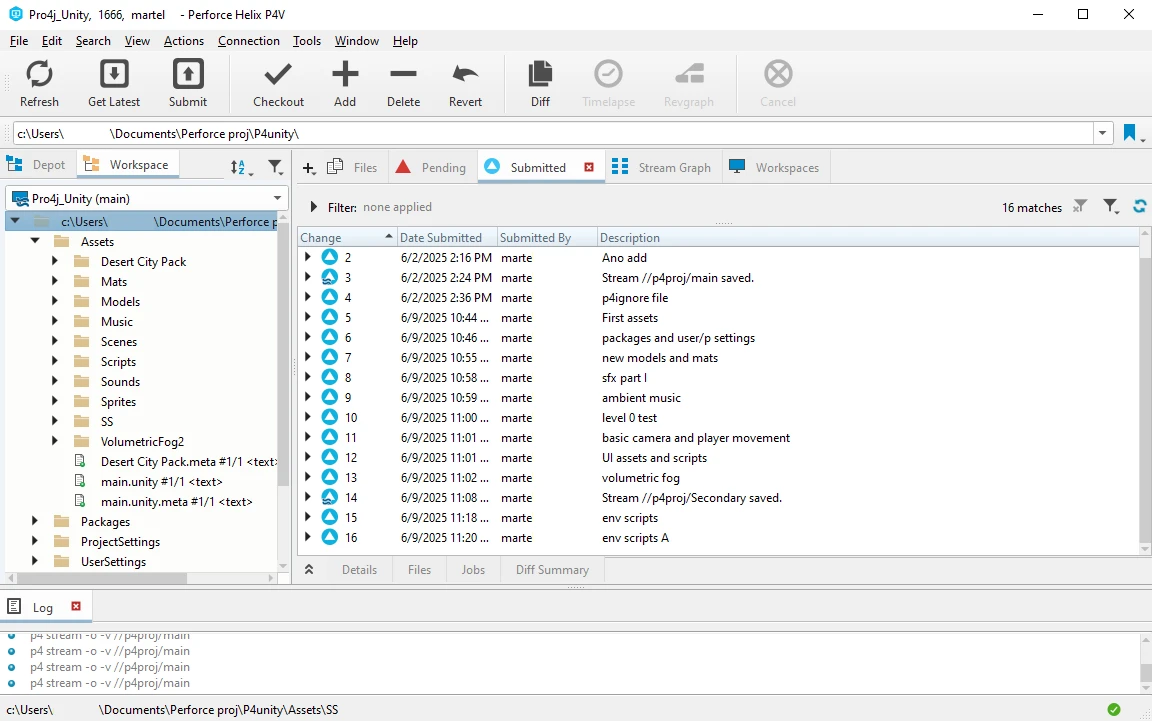
A Unity project managed with Perforce P4
Pros:
Excels with large binary files and huge repositories (e.g., supporting terabytes of data without slowing down), thanks to its streaming architecture.
Strong access controls, locking mechanisms, and scalability for thousands of users across global teams.
Integrates deeply with popular tools and provides advanced features like streams for branching.
Cons:
Centralized nature means server dependency; downtime halts everything, and setup requires significant admin effort.
Licensing is expensive, especially for large teams, and the CLI/GUI can feel dated compared to modern DVCS.
Less flexible for offline work, making it less ideal for distributed or remote-first teams.
Best for: Perforce is a top contender among the best version control software for industries that prioritize asset-heavy projects over pure code.
Unity Version Control (Plastic SCM)
As part of the Unity ecosystem, Plastic SCM, now rebranded as Unity Version control, offers a modern solution that can handle large binary files without the complexity of Git LFS, making it ideal for the Unity engine. It features a user-friendly interface and powerful branching tools. However, teams should consider the potential for vendor lock-in and the cost structure as storage needs increase.
Managing a Unity project with Plastic SCM
Pros:
Superior handling of large files and monorepos via Gluon mode, which mimics centralized simplicity while retaining DVCS benefits.
Visualization tools for graphs and branches, reducing merge conflicts in complex projects.
Affordable pricing with strong support for game dev pipelines, including Unity integration.
Cons:
Can be resource-intensive on local machines due to full repo clones, leading to high storage needs.
It can lead to vendor lock-in within the Unity ecosystem, and its pricing can be unpredictable once you exceed free storage limits.
Transitioning from Git requires relearning some concepts, as its branching model differs.
Best for: Handling large binary assets, but locked within the Unity ecosystem.
SVN (Subversion)
SVN is a legacy centralized system that remains a reliable, open-source choice for teams that value simplicity and a straightforward linear history. While it is slower than modern alternatives for massive projects and lacks the advanced branching speed of Git, its built-in file locking and easy learning curve still make it viable for smaller, less technical teams.
Managing a repo with Syncro SVN Client
Pros:
Simple, linear history model that’s easy to understand for beginners, with atomic commits ensuring data integrity.
Reliable for medium-sized teams with straightforward directory-based permissions.
Free and open-source, with wide tool support (e.g., TortoiseSVN for Windows).
Cons:
Lacks true branching efficiency; creating branches is cumbersome and can bloat the repo.
Poor performance with large files or histories, as everything funnels through the central server.
Outdated compared to DVCS; migration to modern tools is common, limiting long-term viability.
Best for: SVN is reliable for small projects but is often overshadowed by more agile alternatives when it comes to the best version control software.
Conclusion
After navigating the landscape of version control software, it's clear that there is no one-size-fits-all "best" option. Git and its ecosystem (plain, Anchorpoint, and GitHub) are dominant due to their versatility and community. Meanwhile, Perforce, Unity VCS, and SVN cater to specific needs, such as managing large assets, software, and legacy simplicity. The best version control software ultimately aligns with your team's size, project type, and collaboration style. Start with Git for most cases, but evaluate trials to ensure it boosts productivity without creating unnecessary friction. As development evolves, maintaining adaptability will ensure your projects remain version-controlled and thrive.
FAQ
What makes Git one of the best version control software options for most teams?
Git's distributed architecture supports offline work, fast local operations, and robust branching for parallel development. Git is free and open source, backed by a massive community, and offers extensions like GitHub for collaboration. However, the command-line interface can be complex, but clients like Anchorpoint and GUIs like GitKraken and Sourcetree can mitigate this issue, making Git versatile for everyone from solo developers to enterprise teams. If your workflow involves frequent merges or open-source contributions, Git’s ecosystem provides unmatched scalability.
How do centralized systems, such as Perforce and SVN, compare to distributed systems, such as Git?
Centralized version control systems (CVCS) like Perforce and SVN use a single server for all history. This offers easy administrative control and atomic commits, but it risks downtime and bandwidth issues. CVCS is ideal for asset-heavy projects where locking files prevents conflicts. Distributed version control systems (DVCS) like Git clone the entire repository locally, enabling resilience and agility, but they require merge expertise. DVCS is generally superior for remote or agile teams as the best version control software, while CVCS suits structured, large-file environments.
Which Git client is best for beginners seeking an intuitive interface?
GitHub Desktop is often the top choice among newcomers because it provides a simple, visual way to clone, commit, and manage pull requests without CLI commands. It’s free, lightweight, and seamlessly integrates with GitHub repositories. However, it’s limited to that platform. Alternatives like SourceTree offer more depth for intermediate users, while GitKraken impresses with stunning visualizations. Pair any of these with tutorials to ease into Git and build a foundation in the best version control software. For advanced features, Anchorpoint is a good solution that enhances Git tools by bridging the gap between technical and artistic needs.